Disclaimer
Disclaimer – Router Login and IP Address Information
The information on 10001ips.com is for general educational purposes. Always follow your router manual and your internet provider’s instructions.
- Educational information
- Not affiliated with brands
- Check your manual
The information published on this website is provided for general educational and informational purposes. We aim to make router login addresses, WiFi settings and basic network problems easier to understand. Nothing on this website should be treated as professional, legal, security or internet-provider advice. Router models and network configurations vary, so a step that works on one device may not work in the same way on another. By using this website, you accept that you are responsible for checking the information before applying it to your router, computer, phone or network.
Disclaimer Summary
- Our content is general information about routers, IP addresses and WiFi settings.
- We are not affiliated with any router brand, internet provider or Piso WiFi operator.
- Router menus and default details can differ by model, firmware and provider.
- You are responsible for changes you make to your own network devices.
- Always follow your router manual and your internet provider’s instructions.
General Information Only
Our articles discuss topics such as 10.0.0.1, router admin panels, Default Gateway addresses, WiFi passwords and common connection errors. The instructions are general. Menu names, buttons and available settings can differ between router brands, models, firmware versions and internet providers.
We try to provide clear and useful content, but we do not guarantee that every page will remain complete, current or suitable for every device. Manufacturers and providers may change their interfaces without notice. Always compare general instructions with the manual, label and official support material supplied for your equipment.
Independent Website
This is an independent informational website. We are not a router manufacturer, internet service provider, network operator or Piso WiFi service. We do not own, manage or control the private IP address 10.0.0.1. That address may be used by a router or hotspot on a visitor’s local network. Opening 10.0.0.1 does not connect you to our website’s support team. It sends a local request to the network device configured to use that address. No manufacturer, provider or other third party has endorsed our website unless that relationship is clearly stated.
Authorized Access Only
The information on this website should be used only with equipment and networks that you own or are authorized to manage. We do not encourage or support:
- Accessing another person’s router without permission
- Guessing private network passwords
- Changing settings on shared equipment without approval
- Bypassing network restrictions
- Interfering with another user’s internet connection
- Collecting private information from connected devices
- Using router controls for unlawful purposes
Unauthorized access may violate privacy, workplace rules, service agreements or applicable law. The person using the information is responsible for obtaining permission before opening or changing a network.
Router Login Information
A correctly formatted IP address does not guarantee that a login page will open. Not every router uses 10.0.0.1 as its gateway. Some devices use 192.168.0.1, 192.168.1.1 or another private address. Visitors should check the Router or Default Gateway field on their connected device. The commonly entered 10.0.0.0.1 contains five number groups and is not a valid IPv4 address. Correcting this typing mistake does not guarantee access if the router uses another gateway. We do not provide a universal admin username or password. Credentials depend on the device and may have been changed during setup.
Risk of Changing Router Settings
Router settings can affect every phone, computer, television, camera and smart device connected to a network. Changing a WiFi password may disconnect all wireless devices. Editing DHCP, DNS, LAN, WAN, firewall, port-forwarding or firmware options may interrupt access or create a security problem. Before making an important change, record the original settings and review the instructions for the exact router model. Contact the manufacturer, installer or internet provider if you are unsure. You are responsible for any changes made after reading our content.
Restarting and Factory Resetting
Restarting a router normally turns it off and back on while keeping its saved configuration. A factory reset is more disruptive. A factory reset may remove:
- The custom WiFi name
- The wireless password
- The administrator password
- Guest-network settings
- Parental controls
- Port-forwarding rules
- Provider-specific settings
- Other saved configuration
We recommend treating a factory reset as a final option. The exact reset method varies by device, and provider-supplied equipment may require additional setup afterward. We are not responsible for lost settings, interrupted service or reconfiguration costs resulting from a reset.
No Remote Support or Account Access
We cannot remotely open a visitor’s router panel, change a WiFi password or recover a private administrator account. We also cannot:
- View your connected devices
- Identify a changed router password
- Reset your network remotely
- Activate a Piso WiFi session
- Process internet-service payments
- Restore an expired voucher
- Repair physical equipment
- Contact a provider on your behalf
Account, billing, outage and equipment-specific problems should be directed to the responsible internet provider, router manufacturer or network administrator.
Never send us your router password, WiFi key, verification code, banking information or identification documents.
Stay safe
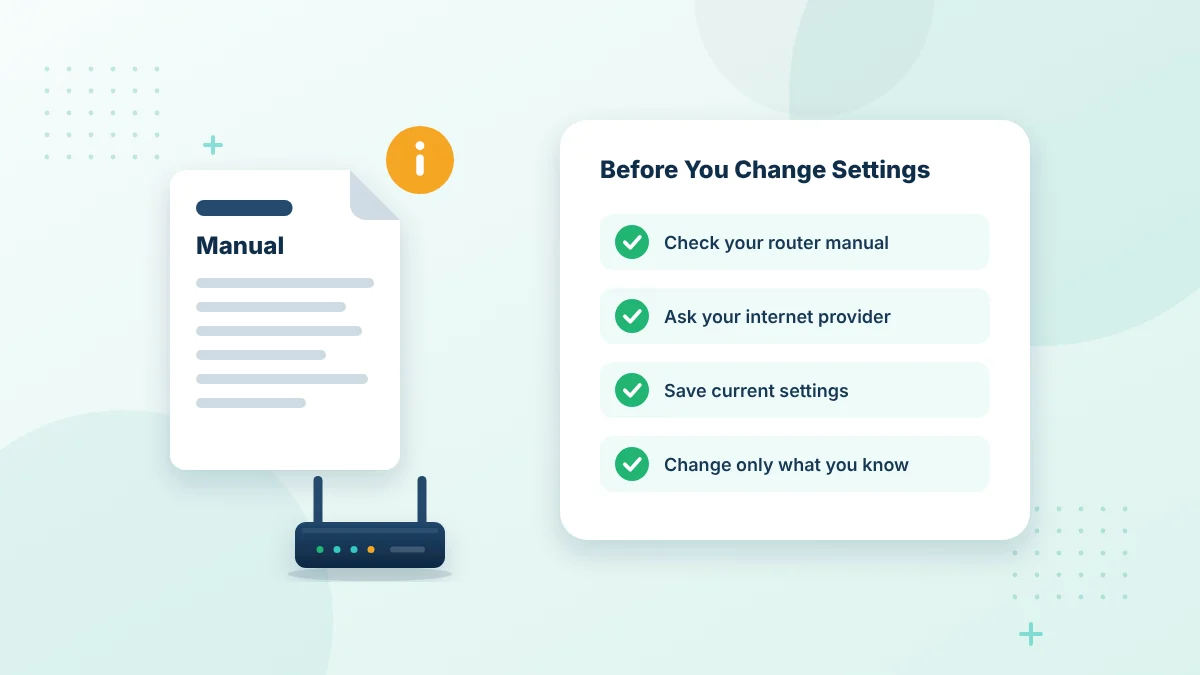
Before You Change Router Settings
Router menus differ by brand and model. A wrong setting can disconnect your whole network.
- Read your router manual
- Save your current settings
- Ask your internet provider when unsure
External Links
Our website may contain links to manufacturers, providers and other third-party websites. These links are included for reference or convenience. We do not control the content, availability, privacy practices or security of external websites. A linked page may change after our article is published. Opening an external link is the visitor’s choice. Review the destination address and its policies before downloading a file, entering personal information or following technical instructions. The presence of a link does not automatically mean that we endorse every statement, product or service offered by the third party.
Brands and Trademarks
Router names, company names, logos, product names and service marks mentioned on this website belong to their respective owners. Their use is intended only to identify equipment, services or interfaces that readers may encounter. It does not suggest ownership, partnership, sponsorship or endorsement. If you are a rights holder and believe that any material has been used incorrectly, contact us with the page address and enough information to review the concern.
Advertising and Affiliate Disclosure
The website may display advertising or use links connected to third-party services. Advertising providers may operate under their own terms and privacy policies. If content includes a sponsorship, affiliate relationship or another material connection, we aim to disclose it where applicable. A paid relationship does not remove the reader’s responsibility to research a product, service or provider before making a decision. We do not guarantee the quality, availability or suitability of third-party offers.
No Guarantees
We do not guarantee that:
- Every router address will open
- All instructions will match every model
- A suggested fix will restore access
- The website will always remain available
- Every external link will remain active
- Content will be free from all errors
- A router change will produce a specific result
Technical results depend on the visitor’s equipment, connection, permissions and current configuration.
Limitation of Responsibility
To the extent permitted by applicable law, this website and its operators are not responsible for losses or damage resulting from reliance on the published information. This may include lost settings, network interruptions, inaccessible devices, data loss, security problems or costs related to repair and reconfiguration. Nothing in this Disclaimer excludes a responsibility that cannot legally be excluded. If you require advice for a sensitive or business-critical network, consult a qualified professional.
Updates to This Disclaimer
We may update this Disclaimer when the website, its services or relevant requirements change. The latest version will appear on this page with a revised update date. Continued use of the website after an update means that the current version applies to your use.
Contact Us
If you find an inaccurate statement or have a concern about this Disclaimer, contact us through the Contact Us page. Include the relevant page title and a clear description of the issue. Do not include passwords or confidential network information in your message.
Examples of What This Disclaimer Covers
Router guides can only describe common situations. Here are typical cases where your experience may differ from a guide:
- A menu name in a guide is different on your router, such as WiFi instead of Wireless.
- A default password listed in a table does not work because it was changed.
- A setting change disconnects some devices until you reconnect them.
- A factory reset removes your custom WiFi name and password.
- A Piso WiFi hotspot does not offer Pause Time because the operator turned it off.
In each case, check the official manual or contact the device owner, internet provider or hotspot operator for model-specific help.
Information About Piso WiFi and Hotspots
Piso WiFi machines and other paid hotspots are run by independent operators. Features such as Pause Time, voucher rules and session limits are controlled by each operator and can change at any time. Our guides describe how these features commonly work, but they cannot confirm how a specific hotspot is configured.
If a session, voucher or payment does not work as expected, contact the hotspot operator directly.
External Links and Advertising
Some pages link to router makers, internet providers and other helpful resources. We do not control those websites and are not responsible for their content or availability. Advertisements, if shown, do not mean that we recommend a product.
Disclaimer FAQs
Is 10001ips.com an official router website?
No. It is an independent information website. Brand names are used only to identify products, and their trademarks belong to their owners.
Can I rely on the default passwords listed on this website?
Use them only as examples. The correct details for your device are printed on its label, in its manual or provided by your internet provider. Our default password guide explains where to look.
Who should I contact for router repairs?
Contact the router manufacturer, your internet provider or a qualified network technician. We do not provide repair services.
Does this disclaimer limit my legal rights?
No. It explains the general nature of our content. Any rights that cannot be excluded under applicable law remain unaffected, as described in our terms and conditions.
How can I report outdated information?
Use our Contact Us page and mention the page title and the part that needs checking.
Does this disclaimer apply to your blog posts?
Yes. It applies to every guide, blog post, image and table on 10001ips.com.
Are your guides professional advice?
No. They are general educational information. For business networks or complex setups, ask a qualified network technician.
Related Pages to This Disclaimer
Read these pages together with this disclaimer.
Useful references: CISA guide to securing wireless networks and RFC 1918 private address ranges.
Need clarification?
Contact us if any information on this website seems unclear or outdated.